


Description
Your Rear Window Has Reactions Now.
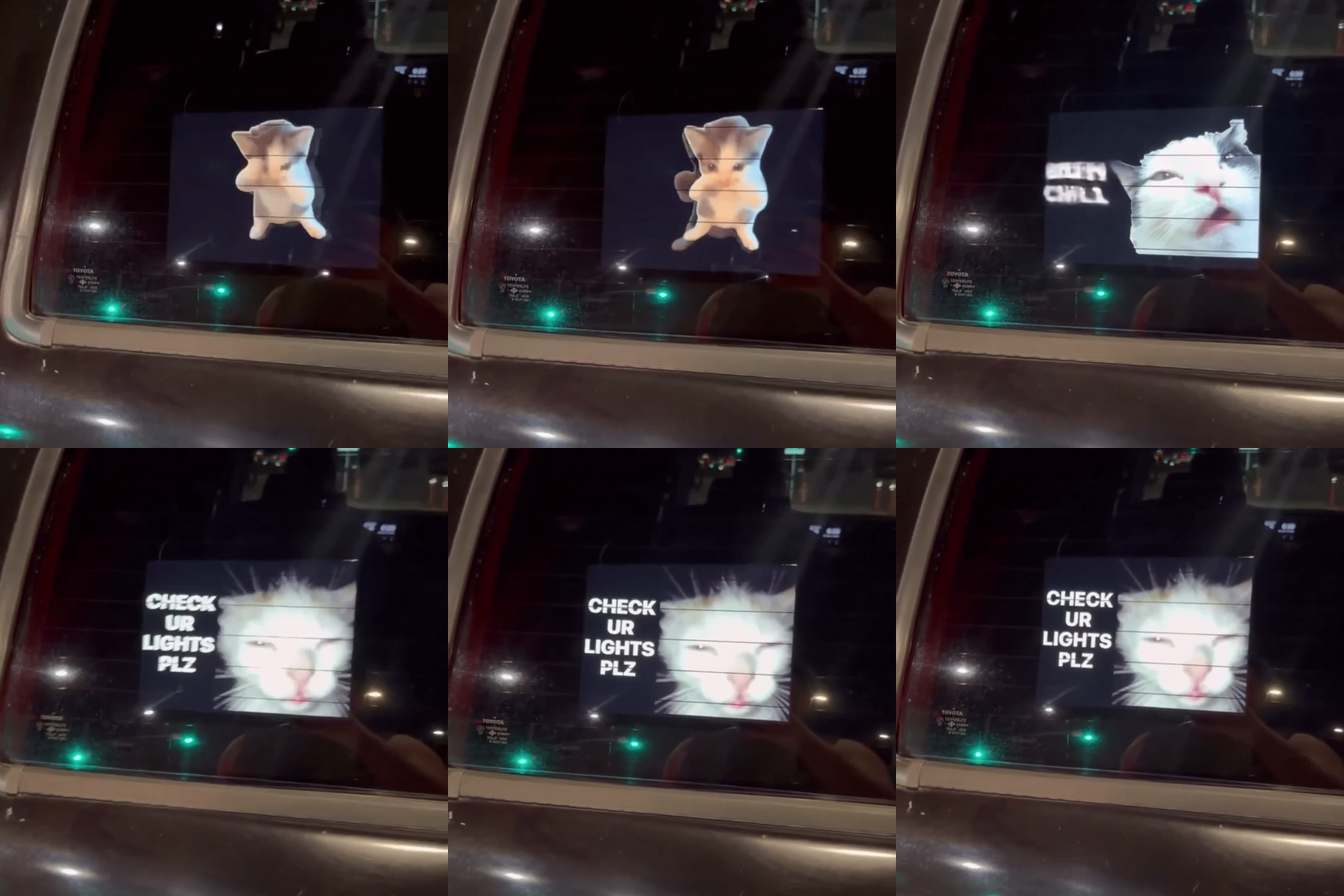
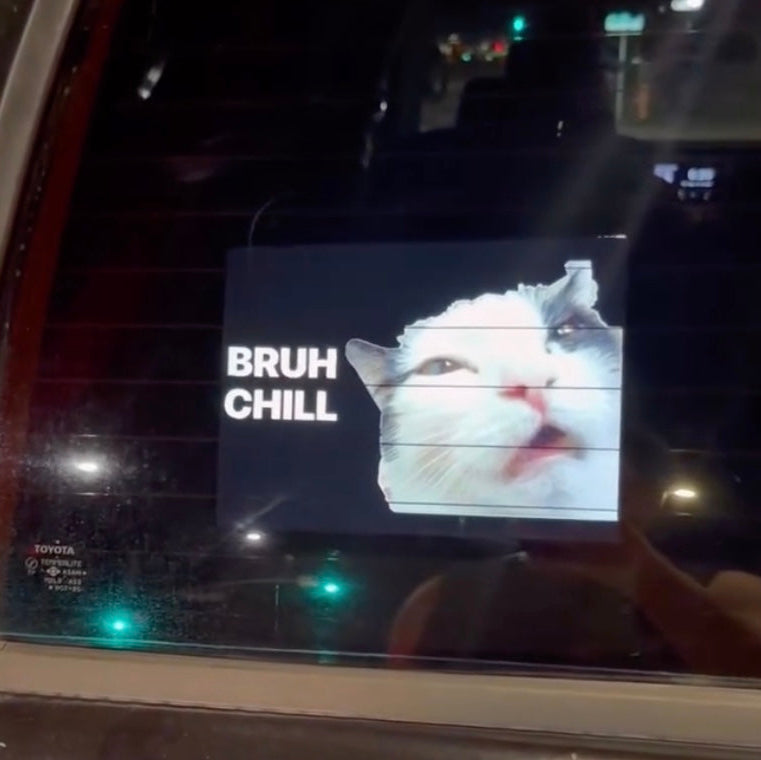
A regular sticker has one joke. The Car GIF Display lets you change the punchline. Bring your favorite animated reactions to your rear window with a full-color display controlled from your phone. From a sheepish “MY BAD” to a meme that needs absolutely no explanation, give your parked ride a little more personality.
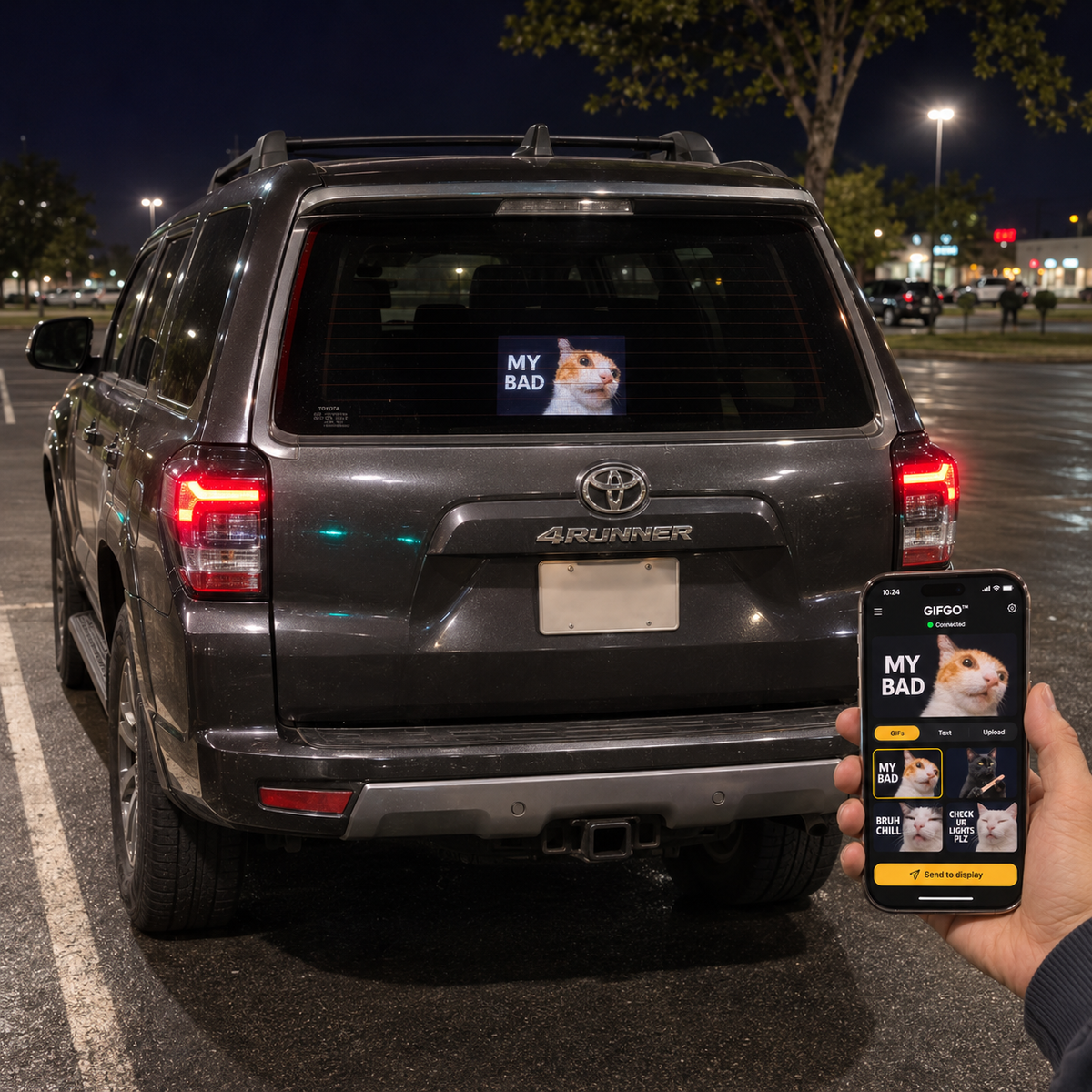
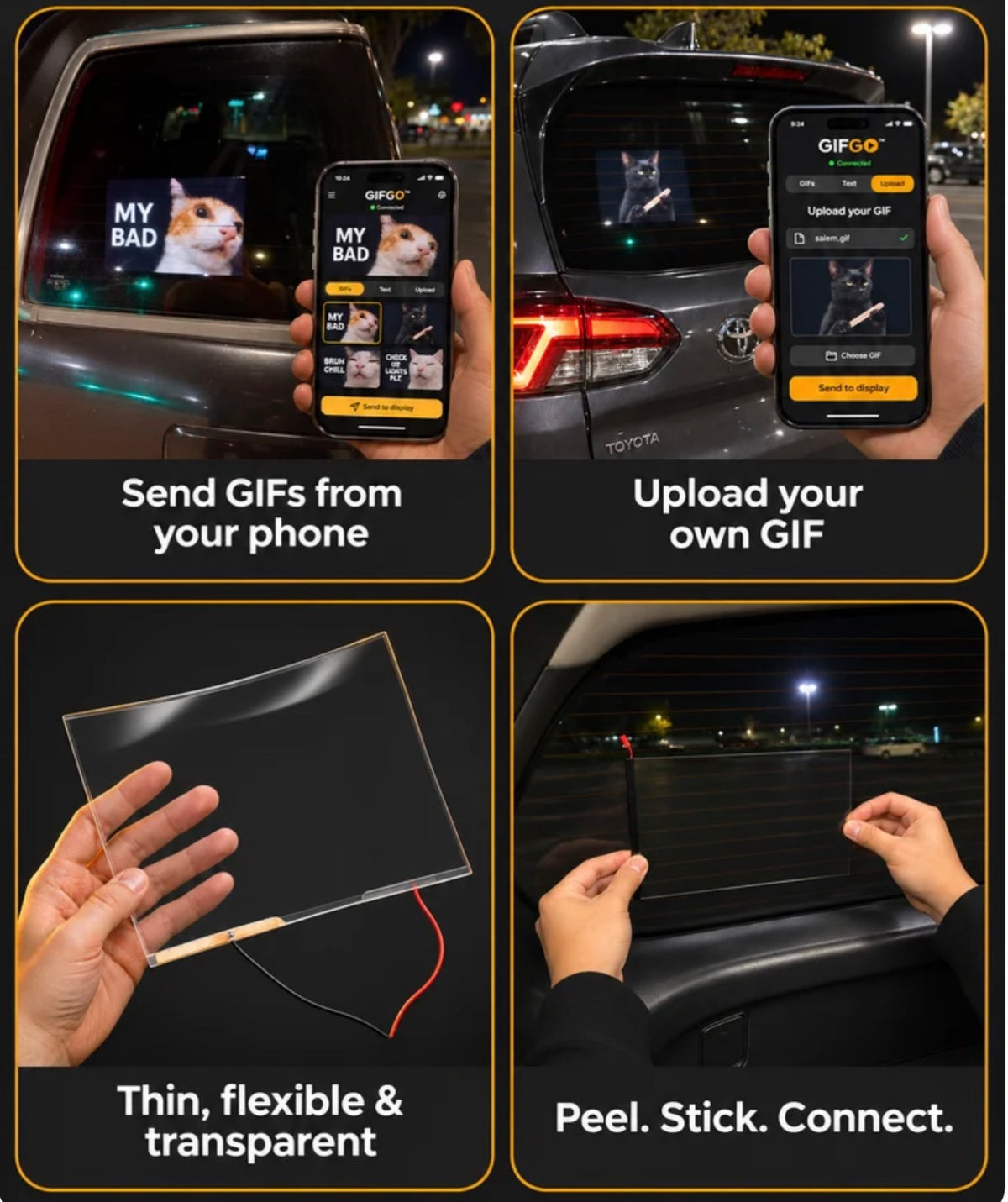
Pick a GIF from the app library or upload your own, preview it on your phone, and tap Send to display. Your chosen animation becomes the star of the window, turning a familiar piece of glass into a canvas for your sense of humor.
Pick a GIF. Tap Send. Make It Yours.
Your mood changes. Your window display can, too. Choose a ready-made reaction when you want something quick, or upload a favorite GIF for a look that feels more personal. You are not stuck with one printed design or one permanent message.
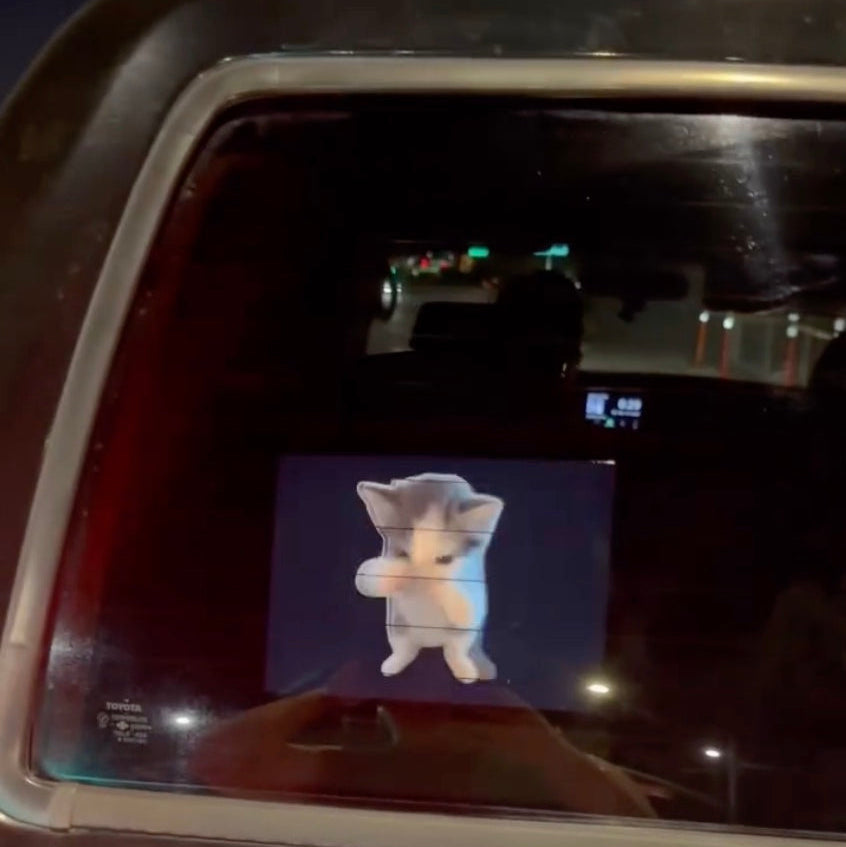
- Animated, full-color visuals: Show GIFs and reactions instead of a static sticker.
- Phone-controlled content: Choose and preview your animation in the app before sending it to the display.
- Built-in GIF choices: Start with reactions from the app library, including the “MY BAD” and “BRUH CHILL” designs shown.
- Upload your own GIF: Put your favorite animated joke or personal pick on display.
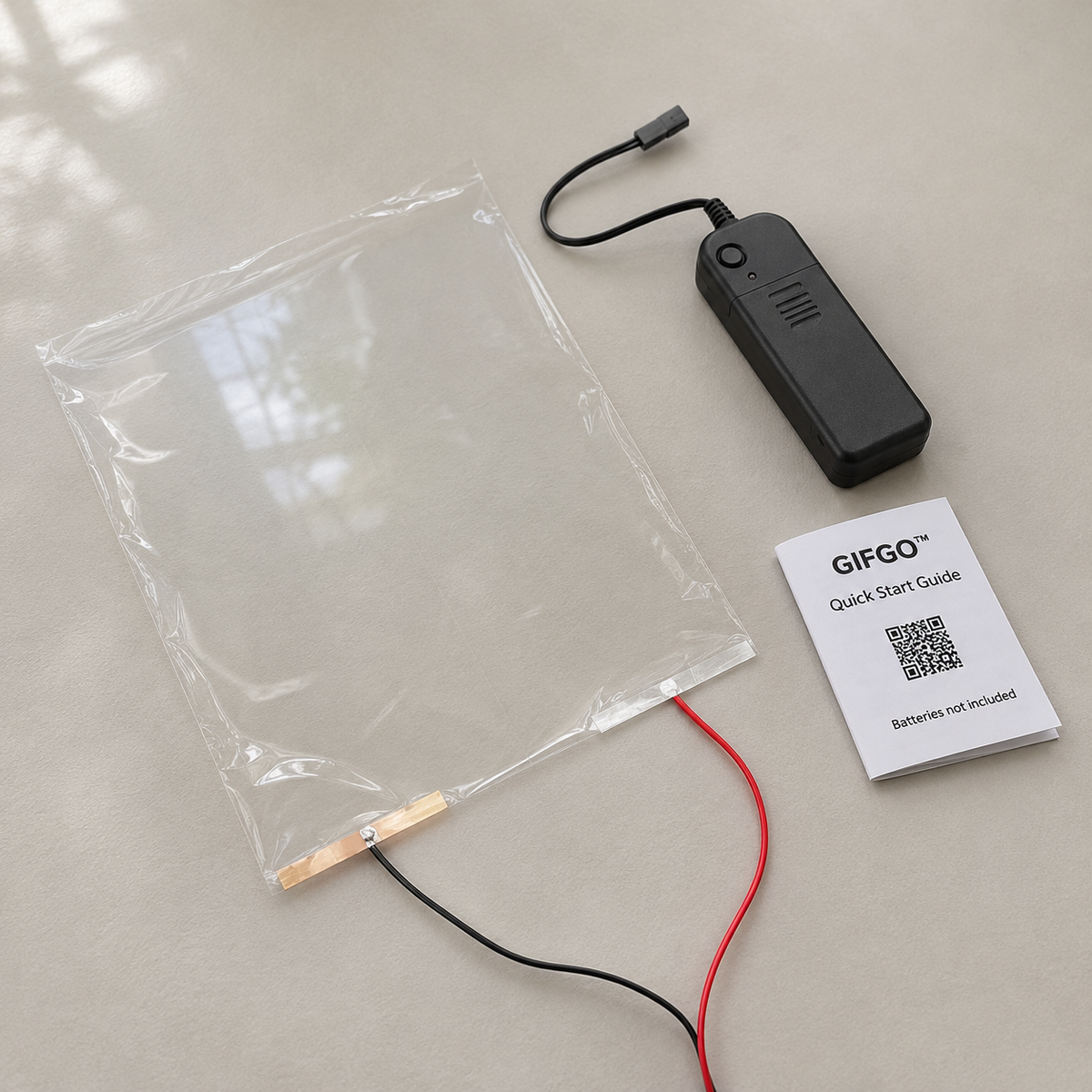
- Thin, flexible, transparent panel: A window-mounted format rather than a bulky freestanding screen.
- Change the vibe: Swap the displayed content through the app without replacing a printed sticker.
A Little Main-Character Energy for Your Car
Bring a playful touch to parked-car photos, car meets, or a get-together with friends. Whether your style is dancing cats, relatable reactions, or wonderfully ridiculous internet humor, this display gives your ride a detail that feels distinctly yours.
It is also a fun gift idea for the car enthusiast who loves a personal touch, the friend who communicates almost entirely in memes, or the person who already has enough ordinary bumper stickers.
A Thin Panel with a Big Personality
The product images show a thin, flexible, transparent display panel with wired connections and a separate control unit. The illustrated setup is peel, stick, and connect, with content selected through the phone app. Follow the supplied setup instructions for installation and connection before use.
How to Choose Your Next Reaction
- Set up the display: Follow the supplied instructions to position the panel and connect the hardware.
- Choose your content: Open the app and select a GIF from the library or upload your own.
- Preview your pick: Check the animation on your phone.
- Send it to the display: Tap Send to display to show your selected GIF.
Good to Know Before You Get Started
- Control: Phone app with GIF selection, preview, and upload functions.
- Display style: Full-color animated GIF display on a thin, flexible, transparent panel.
- Placement shown: Rear car window.
- Batteries: Not included, as noted on the pictured quick-start guide.
Use responsibly: Set up and change content only while safely parked. Keep required visibility clear and check local requirements before installing or using a vehicle-window display. This is a decorative accessory, not a substitute for vehicle signals or safety equipment.
Give your favorite GIF a new place to shine. Choose your reaction, make it personal, and let your parked car join the conversation.